
Medical Clinic Automation
Medical Clinic Automation Systems That Streamline Front Desk Operations and Improve Patient Experience
and front desk communication with custom medical clinic automation systems designed for modern clinics.
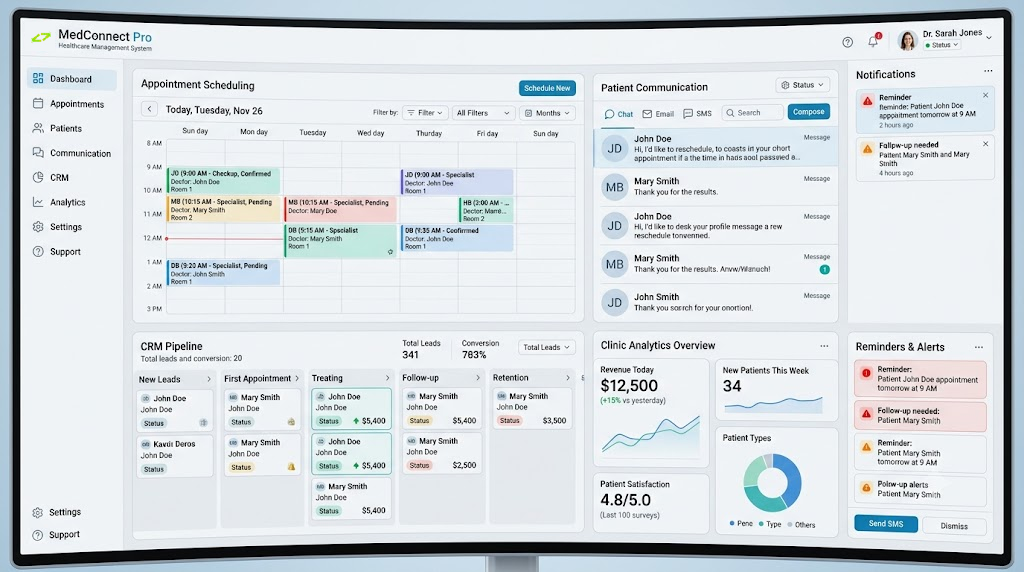
What Is Medical Clinic Automation?
Medical Clinic Automation uses software, AI workflows, CRM systems, and communication automation to reduce manual administrative work inside clinics. It helps automate appointment booking, reminders, patient follow-ups, lead handling, intake forms, review requests, and internal clinic workflows while improving speed, consistency, and patient experience.
Why Clinics Need Automation
Many clinics lose time, revenue, and patient trust because their front desk and administrative processes depend too heavily on manual work. When staff are overloaded, calls are missed, appointments are delayed, follow-ups are forgotten, and patients experience unnecessary friction.
Missed Calls and Missed Patients
Patients often call during busy hours. If calls are missed, new appointments and inquiries can be lost.
Manual Appointment Scheduling
Back-and-forth scheduling wastes time and creates unnecessary pressure on front desk staff.
No-Show Appointments
Without automated reminders, patients may forget appointments, reducing clinic efficiency and revenue.
Slow Patient Follow-Up
Manual follow-ups are easy to delay or forget, especially when staff are managing many tasks.
Disconnected Systems
Clinics often use separate tools for booking, communication, forms, and patient management.
Overloaded Front Desk
Administrative overload can reduce service quality and slow down patient communication.
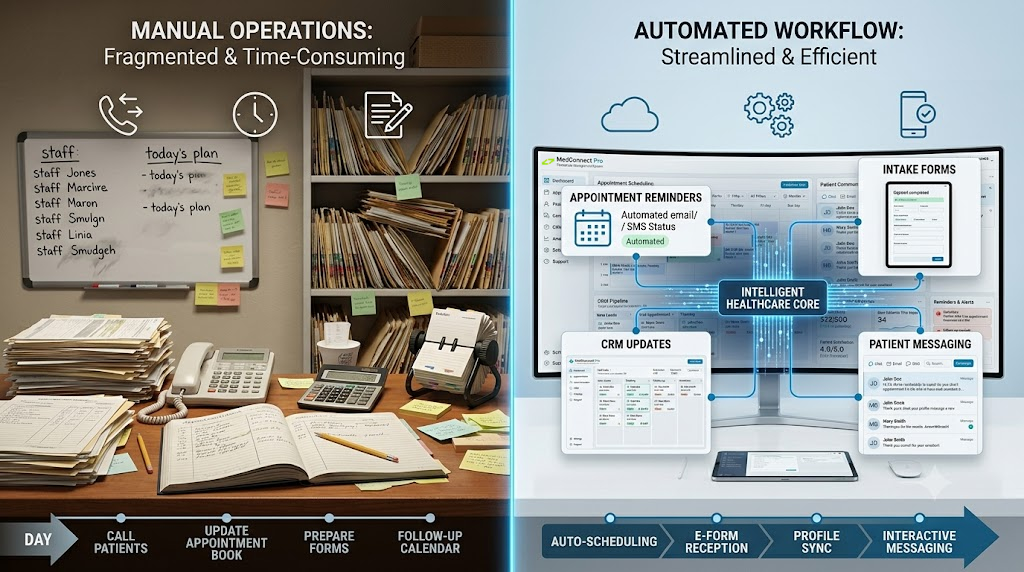
Our Medical Clinic Automation Solutions
We build clinic automation systems that support non-medical administrative workflows. These systems help clinics improve patient communication, reduce repetitive work, and create more organized front desk operations.
Appointment Scheduling Automation
Allow patients to book appointments online, receive confirmations, and get reminder messages automatically before their visit.
Patient Reminder Automation
Send automated SMS and email reminders to reduce missed appointments and improve schedule reliability.
Patient Intake Automation
Collect basic patient information through digital forms before appointments, helping staff prepare faster and reduce manual data entry.
Lead and Inquiry Management
Automatically capture new patient inquiries from websites, ads, phone calls, forms, and landing pages.
Follow-Up Automation
Send post-visit follow-ups, appointment recall messages, treatment reminders, and rebooking prompts.
Review Request Automation
Automatically request reviews from satisfied patients to strengthen clinic reputation and local SEO.
Clinic CRM Automation
Organize patient inquiries, appointment stages, communication history, and follow-up tasks inside a structured CRM workflow.
AI Receptionist Support
Add AI-powered call handling or chat support to help answer common questions, capture inquiries, and assist with booking requests.
What Can Be Automated in a Medical Clinic?
| Clinic Process | Automation Opportunity |
|---|---|
| Appointment Booking | Online scheduling and automatic confirmations |
| Patient Reminders | SMS and email appointment reminders |
| Patient Intake | Digital forms and pre-visit information collection |
| Missed Calls | AI receptionist or automated call-back workflow |
| New Patient Inquiries | Automatic lead capture and CRM assignment |
| Follow-Ups | Post-visit messages and rebooking reminders |
| Reviews | Automated patient review requests |
| Reporting | Clinic performance dashboards and activity summaries |
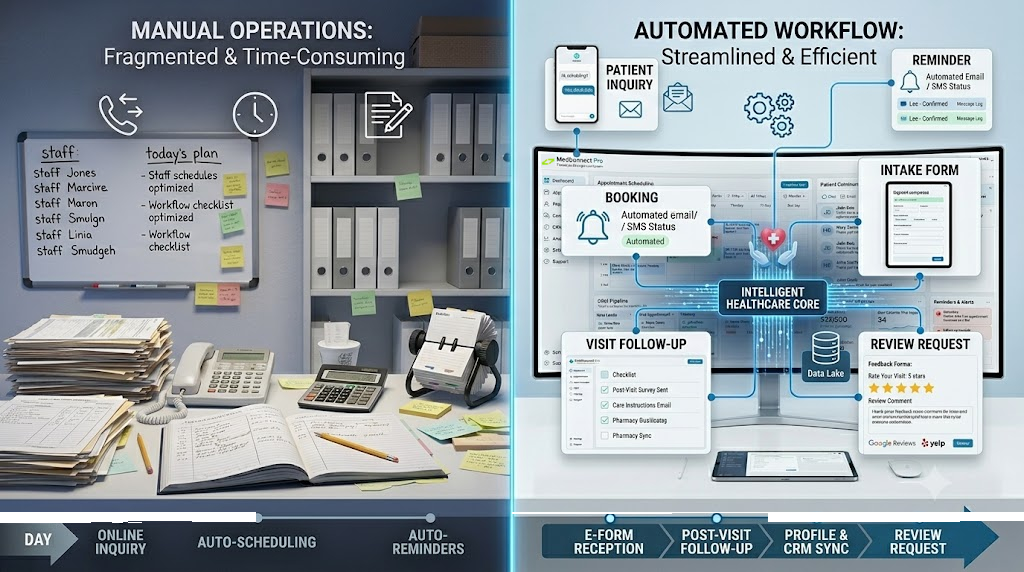
Benefits of Medical Clinic Automation
Reduced Front Desk Workload
Automation reduces repetitive administrative work so staff can focus on patient service.
Fewer Missed Appointments
Automated reminders help patients remember their appointments and reduce no-show rates.
Faster Patient Communication
Patients receive timely confirmations, reminders, and follow-up messages.
Improved Patient Experience
A smoother booking and communication process creates a more professional clinic experience.
Better Lead Management
New patient inquiries are captured, tracked, and followed up automatically.
Improved Clinic Reputation
Automated review requests can help generate more patient feedback and improve online visibility.
More Organized Operations
CRM workflows and automated reporting help clinic owners understand what is happening inside the business.
Clinic Types We Support
Our automation systems can support many non-medical administrative workflows across different clinic types.
- Family Medicine Clinics
- Dental Clinics
- Physiotherapy Clinics
- Chiropractic Clinics
- Mental Health Clinics
- Psychology Clinics
- Dermatology Clinics
- Eye Care Clinics
- Wellness Clinics
- Med Spas
- Nutrition Clinics
- Specialty Care Clinics
Our Clinic Automation Process
Step 1: Clinic Workflow Audit
We review your current booking, inquiry, communication, intake, and follow-up processes.
Step 2: Automation Planning
We identify which workflows should be automated first based on impact, complexity, and clinic goals.
Step 3: System Design
We design a custom automation system for your clinic’s front desk and patient communication workflows.
Step 4: CRM and Tool Integration
We connect your website forms, booking tools, CRM, messaging platforms, and reporting systems.
Step 5: Testing and Optimization
We test each workflow carefully to ensure accuracy, reliability, and a smooth patient experience.
Step 6: Training and Support
We help your staff understand how to use the new system and continue improving workflows over time.
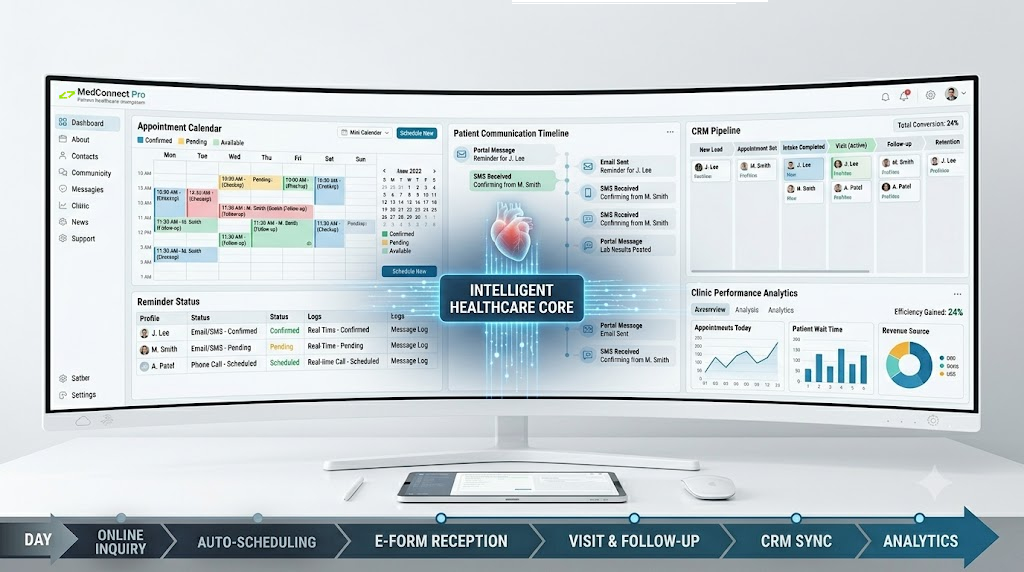
Why Choose Gigantic Engine for Clinic Automation?
Built for Clinic Operations
We focus on practical front desk, patient communication, and workflow automation systems.
Custom Automation Strategy
Every clinic operates differently, so we design systems around your actual workflow.
Patient Experience Focus
Automation should make the patient journey easier, faster, and more professional.
Revenue-Focused Systems
Better follow-up, fewer missed calls, and improved booking workflows can support clinic growth.
Scalable Technology
Your automation system can expand as your clinic grows.
Frequently Asked Questions About Medical Clinic Automation
What is medical clinic automation?
Medical clinic automation uses software and workflows to automate non-medical administrative tasks such as booking, reminders, intake, follow-ups, and patient communication.
Can automation reduce no-shows?
Yes. Automated appointment reminders can help reduce missed appointments by reminding patients before their scheduled visit.
Can clinics automate patient follow-ups?
Yes. Clinics can automate post-visit messages, rebooking reminders, recall campaigns, and patient communication workflows.
Is clinic automation only for large clinics?
No. Small and mid-sized clinics can benefit from automation because it reduces staff workload and improves operational efficiency.
Can appointment scheduling be automated?
Yes. Clinics can use online booking systems, automatic confirmations, and reminder workflows.
Can automation help with new patient inquiries?
Yes. New inquiries from forms, calls, landing pages, and ads can be captured and organized in a CRM.
Can patient intake forms be automated?
Yes. Digital intake forms can collect information before appointments and reduce manual paperwork.
Can clinic automation improve patient experience?
Yes. Faster communication, easier booking, and clear reminders create a smoother patient journey.
Does clinic automation replace front desk staff?
No. Automation supports front desk staff by reducing repetitive work and helping them focus on patients.
Can automation help clinics get more reviews?
Yes. Automated review request workflows can ask patients for feedback after appointments.
Can an AI receptionist be added to a clinic?
Yes. AI receptionist systems can help answer common questions, capture inquiries, and support booking workflows.
How long does clinic automation setup take?
The timeline depends on the number of workflows, integrations, and systems required.
Is medical clinic automation secure?
Security depends on the selected tools, configuration, access controls, and data handling practices.
What clinic workflows should be automated first?
The best starting points are usually appointment reminders, inquiry capture, follow-ups, online booking, and review requests.
Can clinic automation connect with a website?
Yes. Website forms, booking pages, landing pages, and contact forms can be connected to automation workflows.
Ready to Automate Your Clinic Front Desk and Patient Communication?
Your clinic should not lose patients because of missed calls, delayed follow-ups, manual reminders, or overloaded administrative workflows.
Gigantic Engine helps clinics build automation systems that improve booking, reminders, communication, patient follow-up, and front desk efficiency.
